
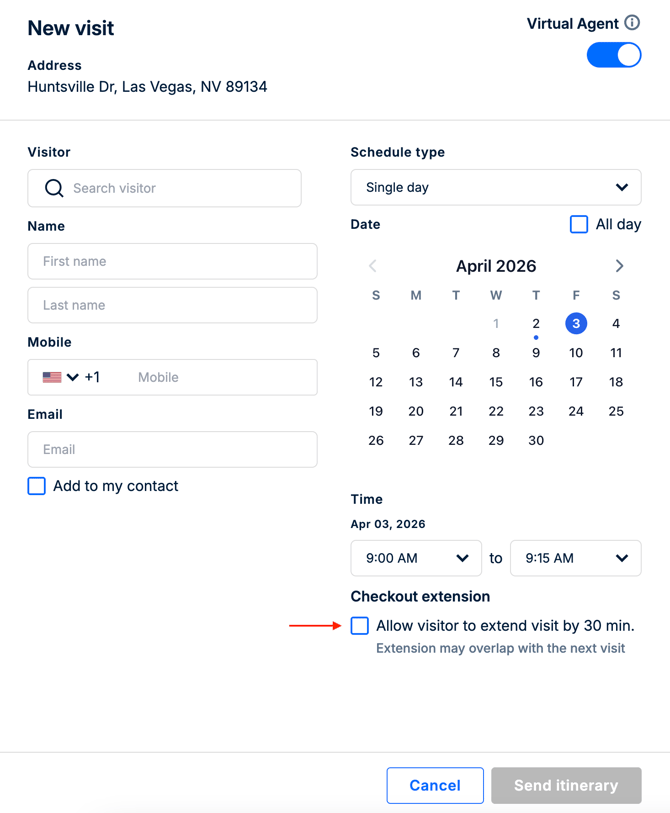
Yes. Visitors can request an extension of their visit time either by contacting the managers directly or by submitting an extension request from the itinerary (when the Check-out extension feature in the visit schedule dialog has been enabled by a manager).
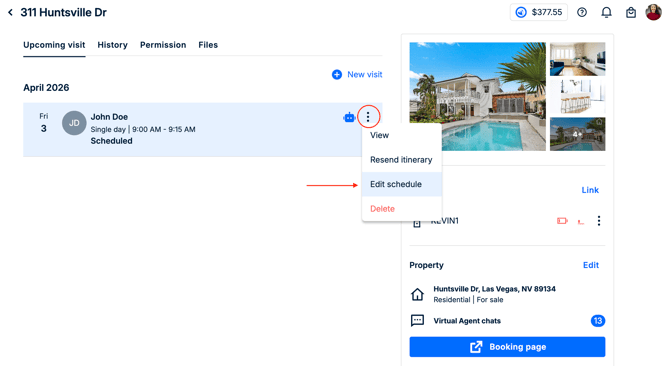
Only authorized Managers or Admins can modify the schedule and resend the updated itinerary.
The Check-out extension feature in the visit schedule dialog:
To update the visit schedule in the web app after the itinerary is sent:
Please note:
- The customer service live chat on the itinerary does not have the authority and cannot change the visit time for the visitors.