![Lubn_Logo-1.png]](https://support.lubn.com/hs-fs/hubfs/Lubn_Logo-1.png?height=40&name=Lubn_Logo-1.png)
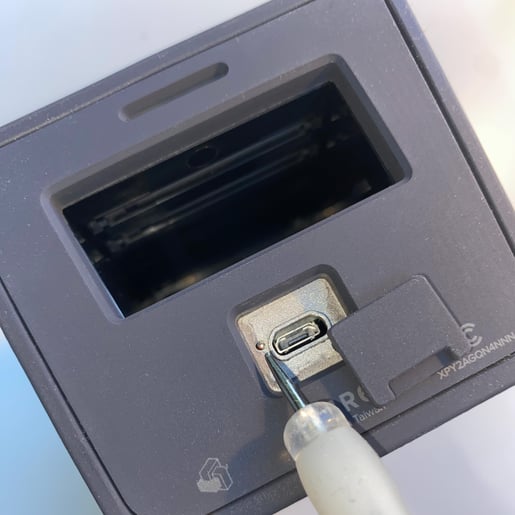
In the unlikely event that the LubnBox is unresponsive to button presses or charging, users have the option to perform a hardware reset. This can be done by pressing the reset button located at the bottom of the LubnBox, near the USB charging port. A toothpick or a pen can be used to press and hold the reset button for 1 second. Once the hardware reset is initiated, press the Check-in button to power on the device and attempt to re-establish the network connection. If the Check-in button LED is red, please ensure that the device is charged.
Please note:
- When pressing the hardware reset button, you should feel the "click". Press and hold the reset for 1 second and release to complete the hardware reset.